Set the character
Name the role, audience, mood, and setting first. A calm narrator, a friendly guide, and a dramatic character may all use a low register but need very different performances.
Deep voice studio
An ai deep voice generator free workflow can turn a written script into a fuller, lower-sounding performance for narration, characters, explainers, and creative tests. Start with a short prompt, then refine the delivery instead of forcing every line into the same tone.

Related voice tools
Use a broader voice workflow when you want to compare different delivery styles before choosing a lower register.
Explore voice transformation when your starting point is a recording rather than written narration.
Look at voice cloning when preserving a particular speaker identity matters more than simply lowering the tone.
Use text to speech guidance for a general script-to-audio workflow without focusing only on depth.
The working method
A convincing low voice usually comes from clear direction and revision, not from repeatedly adding words like deep or powerful to the same prompt.
Name the role, audience, mood, and setting first. A calm narrator, a friendly guide, and a dramatic character may all use a low register but need very different performances.
Add useful performance cues such as measured pacing, deliberate pauses, soft emphasis, or a warm tone. Keep the sentence short enough for the system to follow the direction.
Listen for muddy consonants, unnatural pauses, or a tone that sounds forced. Rewrite awkward phrases and adjust one variable at a time so you know what improved the result.
Prompt anatomy
These are workflow targets rather than promises about a particular model. They help you give the generator enough direction to produce a voice that fits the scene.
Choose by use case
Neither approach is automatically better. The useful choice depends on whether the sound itself is central to the brief or merely one part of a broader performance.
Deep voice brief
A lower, fuller vocal impression
General voice brief
A suitable voice for the overall script
Deep voice brief
Low, warm, steady delivery
General voice brief
Clear, natural, audience-appropriate delivery
Deep voice brief
Trailers, documentary lines, character dialogue
General voice brief
Explainers, announcements, tutorials
Deep voice brief
Depth can reduce clarity or sound exaggerated
General voice brief
The result may feel less distinctive
Deep voice brief
Consonants, pacing, warmth, and emphasis
General voice brief
Tone, rhythm, pronunciation, and audience fit
Deep voice brief
Short, specific vocal direction
General voice brief
Broader description of role and context
Know the edges
A lower register is a creative direction, not a guarantee of realism, identity, or production readiness. Check every result against the context in which it will be heard.
A generated voice can hit the requested register while missing the subtle rhythm and breath patterns that make speech feel human.
WorkaroundUse a specific role and emotional situation, then revise pacing and pauses instead of asking for more depth.
Very low or heavily dramatic delivery may blur consonants, especially in dense scripts or over music.
WorkaroundShorten sentences, keep key words prominent, and listen on the same speakers your audience is likely to use.
A deep style is not the same as reproducing a particular person. Do not imply that a generated voice belongs to someone without permission.
WorkaroundDescribe an original character or use an approved voice workflow with clear consent.
Pronunciation, names, punctuation, and scene changes can still require careful review before the audio is shared.
WorkaroundBreak the script into logical passages and check each passage for meaning, tone, and clarity.
Illustrative comparison
The comparison is a visual guide to the editing mindset: add context and performance direction rather than relying on a single adjective.
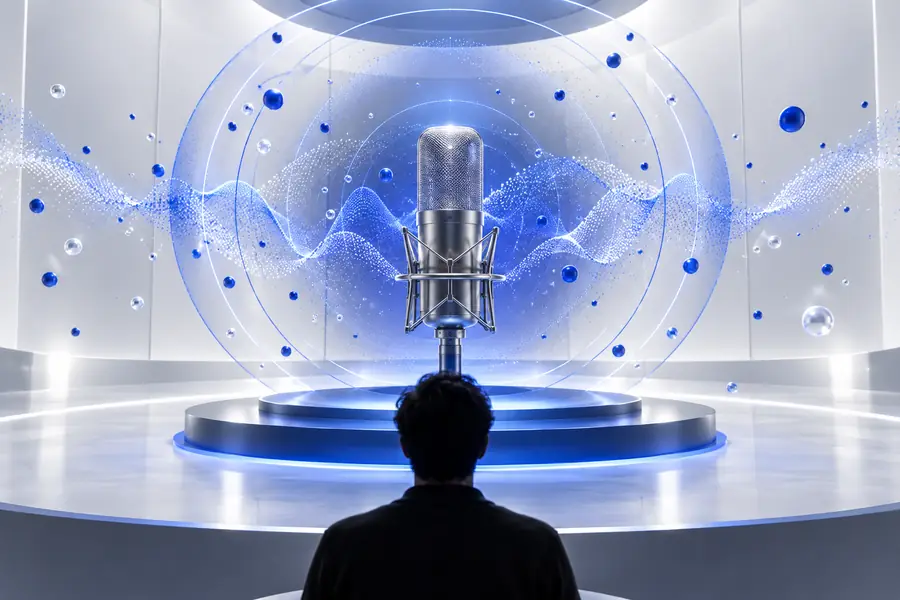

Illustrative, not a guaranteed audio sample
Make the next pass
Bring a short scene, narration line, or character brief and test the direction that best fits it. Start specific, listen closely, and keep the version that stays clear as well as deep.
Common questions
It is a way to direct a voice-generation tool toward a lower, fuller, or more resonant delivery without starting from a conventional high or neutral style. The result still depends on the script, the instructions, and the capabilities of the tool handling the request.
Yes, a deep delivery can suit documentaries, trailers, explainers, character lines, and other narration where a sense of weight is useful. Keep the wording concise and check that low tone does not reduce clarity for your intended audience.
Describe the target as low, warm, steady, or resonant, and add the role and mood so the instruction has context. If the result sounds exaggerated, remove some intensity and adjust pacing, pauses, and emphasis instead of repeating the same depth cue.
No. A deep style describes qualities of delivery, while voice cloning attempts to reproduce characteristics associated with a particular speaker. Treat identity-related use carefully and only use a person's voice with appropriate permission.
A low register, dense wording, long sentences, or excessive dramatic emphasis can make consonants harder to hear. Shorten the script, add clearer pacing, and test the audio on ordinary headphones or speakers before deciding whether the voice works.