Write the source
Paste the script or describe the message, audience, tone, pacing, and pronunciation details that matter.
Synthetic speech
An ai voice generator turns written direction into a voice performance you can review, refine, and use across narration, demos, explainers, and other audio-led content.

Choose the right path
Start with the output you need, then choose the workflow that matches your source material, delivery style, and editing needs.
Change the character of recorded speech when you already have a performance to work from.
Explore voice replication when consistency with a specific speaker is central to the project.
Focus on the direct script-to-audio process for narration, reading, and accessible content.
Compare a lower-register voice direction when tone and presence matter more than neutrality.
Know the edges
Generated audio can accelerate a first take, but it still needs editorial judgment, rights awareness, and a final listen before publication.
A short script may not communicate which words deserve emphasis, whether a pause is dramatic, or how a brand name should sound.
WorkaroundAdd pronunciation notes, pacing cues, and a clear audience or mood to the brief.
A technically clean read can still feel too flat, too urgent, or mismatched to the scene.
WorkaroundDescribe the delivery in concrete terms and review alternate takes against the purpose of the content.
A generated voice or script does not automatically grant permission to imitate a person, use supplied material, or publish the result commercially.
WorkaroundConfirm consent, ownership, and any applicable usage terms before release.
Generated speech may still need trimming, music balancing, noise checks, or timing adjustments in the final edit.
WorkaroundTreat the output as a voice track and complete the normal post-production pass.
Simple production flow
A focused brief makes the first result more useful and gives you a clear path for revision.
Paste the script or describe the message, audience, tone, pacing, and pronunciation details that matter.
Choose the intended character of the read, then refine emphasis, pauses, wording, and scene context.
Listen for clarity, rhythm, pronunciation, and fit before exporting or placing the voice into a larger edit.
Listen for the difference
The useful change is not only that text becomes audio; it is that the brief can carry decisions about tone, rhythm, and emphasis.

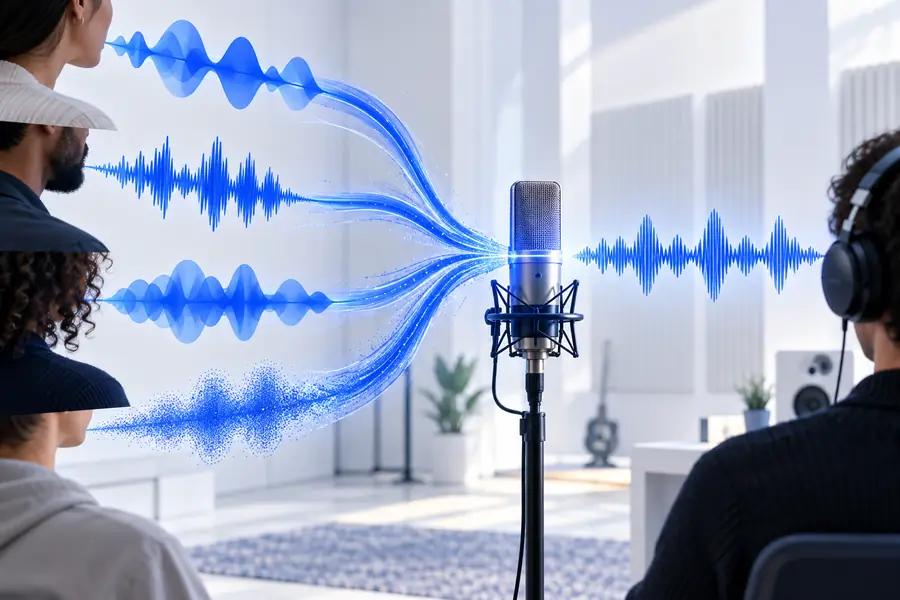
A stronger brief gives the output more to work with.
Practical applications
Different teams start with different source material, but each can use the same brief-review-refine pattern.
Turn a prepared explainer or tutorial script into narration that keeps the edit moving.
Test pacing and structure before committing to a recorded session.
text to speechGive a demo or feature walkthrough a consistent spoken layer during iteration.
Review the message in context while the product story is still changing.
ai deep voice generator freePrepare draft voice tracks from approved copy before final language and editorial review.
Spot timing, emphasis, and script issues earlier in the production cycle.
voice cloning aiExperiment with a different character or delivery direction for a short creative segment.
Compare vocal ideas without confusing a voice change with a new recording.
voice changer aiMake the distinction
Neither route is universally better. The right choice depends on how much performance control, revision speed, and recording infrastructure the project needs.
AI voice generator
Written script or detailed voice brief
Manual voice recording
Script plus a person ready to perform
AI voice generator
Useful for producing an initial voice track quickly
Manual voice recording
Depends on scheduling, setup, and the first performance
AI voice generator
Revise wording and direction before creating another take
Manual voice recording
Repeat recording or edit the captured performance
AI voice generator
Directed through written cues and selected delivery
Manual voice recording
Shaped live through acting, timing, and interpretation
AI voice generator
Requires explicit notes for unusual names and terms
Manual voice recording
Can be corrected directly during the session
AI voice generator
Can support repeatable delivery across related scripts
Manual voice recording
Depends on the performer, direction, and session conditions
AI voice generator
Still requires listening, editing, and rights review
Manual voice recording
Requires recording space, microphone, monitoring, and post-production
Start with a useful brief
Bring the words, audience, and intended feeling together in one clear prompt. Then review the result as part of the full piece, not as an isolated audio clip.
Common questions
It is a tool that creates spoken audio from written text or a voice direction. The result can serve as a draft, narration track, demo voice, or starting point for further editing.
Give the script a clear purpose and describe the intended tone, pace, audience, and pronunciation details. Short direction about pauses and emphasis can make the output easier to review and revise.
It can produce a convincing read when the script and direction are clear, but naturalness depends on wording, pronunciation, rhythm, and the listening context. Always review the full take rather than judging a single sentence.
That depends on the tool's terms, the source material, and any rights connected to the voice or likeness. Check permission and usage conditions before publishing content for a client, brand, or paid campaign.
No. A generator typically creates speech from text or direction, while a voice changer transforms an existing spoken performance. The better option depends on whether you are starting with a script or a recording.